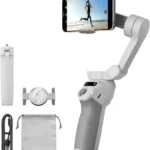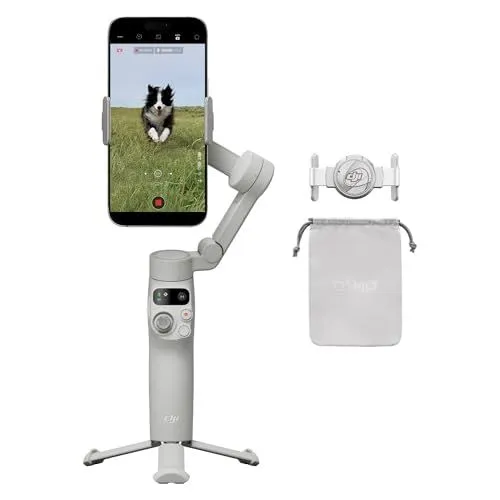
The DJI Osmo Mobile 7 Gimbal Stabilizer With Built-In Tripod is a versatile and compact tool designed for high-quality content creation on both iPhone and Android devices. Featuring a lightweight, foldable design, this 3-axis phone gimbal ensures smooth and shake-free footage by counteracting natural hand movements. One of its standout hardware features is the integrated design that functions as a portable stabilizer and a selfie stick, providing users with the flexibility to capture wide-angle group shots or stable stationary videos.
Equipped with the advanced ActiveTrack 7.0 technology, the DJI Osmo Mobile 7 Gimbal Stabilizer With Built-In Tripod can intelligently follow subjects with precision, keeping them centered even during fast-paced movement. The software experience is further enhanced by the DJI Mimo app, which offers a One-Tap Edit feature to help users quickly assemble cinematic videos. Beginners can also benefit from ShotGuides, which provide scene-specific templates and tutorials to turn everyday moments into professional-looking clips with minimal effort.
Designed for extended use in the field, the DJI Osmo Mobile 7 Gimbal Stabilizer With Built-In Tripod boasts a robust battery life of up to 10 hours on a single charge. Beyond its own longevity, the gimbal supports phone charging via a USB-C connection, allowing users to keep their mobile devices powered during long filming sessions or live streams. This combination of reliable stabilization, intelligent tracking, and power management makes it an essential accessory for vloggers and travelers who need a dependable, all-in-one filming solution.
FEATURES:
– ActiveTrack 7.0
– Built-in Tripod
– 3-Axis Stabilization
– Selfie Stick Extension
– One-Tap Editing
– 10-Hour Battery Life
– Phone Charging Port
– Portable Folding Design
The DJI Osmo Mobile 7 Gimbal Stabilizer With Built-In Tripod is a versatile and compact tool designed for high-quality content creation on both iPhone and Android devices. Featuring a lightweight, foldable design, this 3-axis phone gimbal ensures smooth and shake-free footage by counteracting natural hand movements. One of its standout hardware features is the integrated design that functions as a portable stabilizer and a selfie stick, providing users with the flexibility to capture wide-angle group shots or stable stationary videos.
– Smooth professional quality footage
– Very easy to use
– Feels well built
– Includes a tripod
– Amazing stabilization
– Excellent auto tracking
– Powerful magnetic mount
– Intuitive controls
– Great price value
– Packs up nicely
– Ergonomic grip design
– Works with iPhone and Android
– One tap orientation switching
– Helpful in app tutorials
– Lightweight and portable
– Flawless Bluetooth pairing
– Long ten hour battery life
– Effective power zoom feature
– Improves video quality significantly
– Brief learning curve
– Overloaded button functions
– App required for features
– App installation sleep issues
– Weak motor power
– Difficult large phone fit
– Camera lens switching hiccups
– No 360 degree rotation
– Native camera app limitations
– Microphone weight imbalances gimbal
– Microphone blocks gimbal movement
– Frequent balance error notifications
The DJI Osmo Mobile 7 offers a compelling value proposition by delivering smooth, professional-quality stabilization and industry-leading ActiveTrack 7.0 technology in a portable, well-built design that features a built-in tripod and an ergonomic grip. Users will appreciate the intuitive controls, flawless Bluetooth pairing, and long ten-hour battery life that even supports phone charging, though the experience is tempered by a brief learning curve and an overreliance on a proprietary app that can suffer from installation issues. While the powerful magnetic mount and one-tap orientation switching make it highly versatile for both iPhone and Android users, the device faces hardware limitations such as weak motor power when handling large phones, a lack of full 360-degree rotation, and potential physical interference when using external microphones. Ultimately, it significantly improves mobile video quality despite some technical hiccups with lens switching and frequent balance error notifications. Read more…
Smart Gimbal Control Features
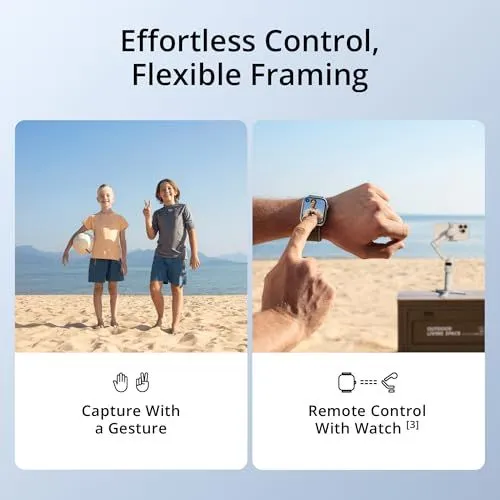
This image illustrates two methods for operating a smartphone gimbal remotely. The graphic is titled Effortless Control, Flexible Framing. On the left side two children stand on a sunny beach. One child holds a ball while the other makes a peace sign. A hand icon and a peace sign icon appear below this scene. This section is labeled Capture With a Gesture. The right side shows a close up of a person using a smartwatch. The watch face displays a live camera feed from a smartphone. A small smartphone gimbal is visible in the background on a brown box. An icon of a watch and a gimbal appears below the image. This section is labeled Remote Control With Watch. Both scenes use bright natural lighting and a coastal setting.
DJI Osmo Mobile 7 Gimbal Stabilization Overview
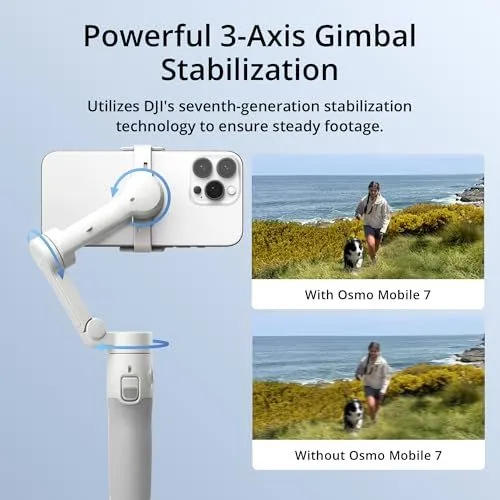
The image showcases the DJI Osmo Mobile 7 smartphone gimbal. A white three axis gimbal holds a smartphone in a horizontal orientation. Blue circular arrows indicate the different axes of movement and stabilization. The top text highlights powerful 3 axis gimbal stabilization. It mentions the use of DJI seventh generation stabilization technology. Two comparison photos appear on the right side of the frame. The top photo shows a clear and steady shot taken with the Osmo Mobile 7. The bottom photo shows a blurry and shaky shot taken without the device. Both photos feature a person walking a dog along a coastal path. The background of the image is a soft light blue gradient. The overall design is clean and professional for a product advertisement.
ActiveTrack 7.0 Performance Features

The image displays three panels showcasing the ActiveTrack 7.0 camera technology. The top section features a main heading that says ActiveTrack 7.0 Smarter Than Ever. The largest panel on the left illustrates subject tracking with a child playing soccer on a beach. A green tracking box surrounds the child’s head to indicate active focus. The top right panel is titled Smart Capture and shows three people running along a shoreline. Each person has a white square around their face to demonstrate multi-person recognition. The bottom right panel is titled Smooth Tracking and shows a young boy playing with a ball near trees. An outlined transparent figure follows the boy to visualize motion prediction and stability. The background colors are light blue and white. The overall layout is clean and promotional.
DJI Osmo Mobile 6 Gimbal
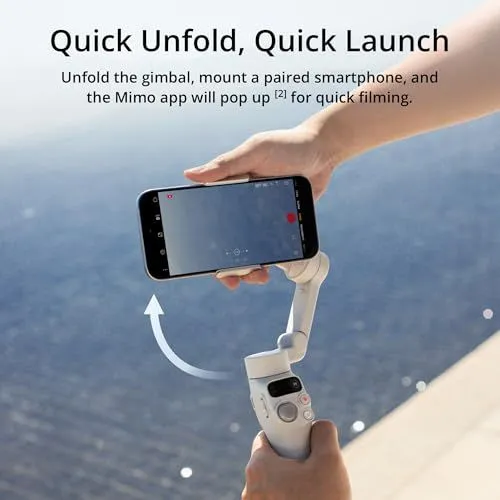
A hand holds a white foldable smartphone gimbal against a blue water background. The device is being unfolded to a ready position. A black smartphone is mounted in the clamp. The screen shows the camera interface. Text at the top reads Quick Unfold, Quick Launch. It explains that the Mimo app opens automatically when the phone is attached. The person is holding the handle with their right hand. Their left hand supports the phone. The gimbal has a small display and several control buttons. An arrow indicates the upward unfolding motion of the arm. The scene is bright and sunny.
DJI Osmo Mobile 6 Handheld Smartphone Gimbal
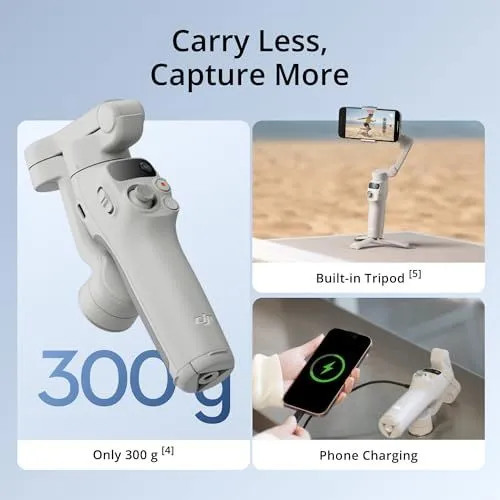
This image shows a white DJI Osmo Mobile 6 smartphone gimbal against a light blue background. The main graphic highlights that the device weighs only 300 grams. Two smaller panels on the right side demonstrate additional features of the product. The top right panel shows the gimbal standing on its built-in tripod legs while holding a phone. The bottom right panel illustrates the device charging a smartphone with a cable. The text at the top of the image reads Carry Less Capture More. The gimbal has a grey joystick and several control buttons on the handle. The design is compact and portable for easy travel use. A small DJI logo is visible on the side of the handle. This marketing material emphasizes the lightweight nature and versatility of the stabilizer.
DJI Mimo App Features for New Creators
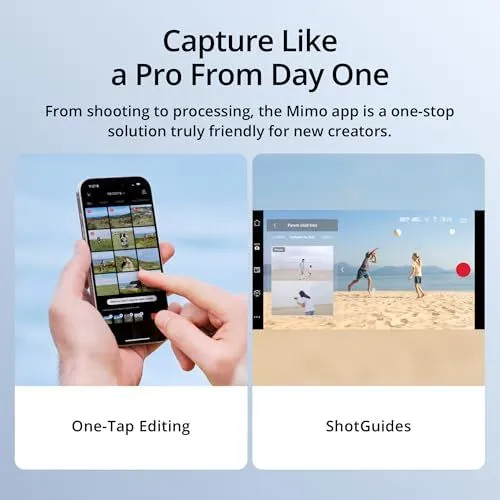
The image displays promotional material for the DJI Mimo application. The top of the graphic features a bold heading about capturing professional content. A subheader describes the app as a one-stop solution for shooting and processing. The bottom half of the image is split into two visual sections. The left panel shows a person holding a smartphone and using one-tap editing. Their finger is selecting a video clip from a gallery grid. This section is labeled One-Tap Editing at the bottom. The right panel shows a landscape orientation screen with the ShotGuides interface. This screen displays a beach scene with people playing and provides compositional guidance. This section is labeled ShotGuides at the bottom. The background of the entire graphic is a light blue gradient. The overall design is clean and highlights the user-friendly nature of the software.
What’s in the Box of the Osmo Mobile 7
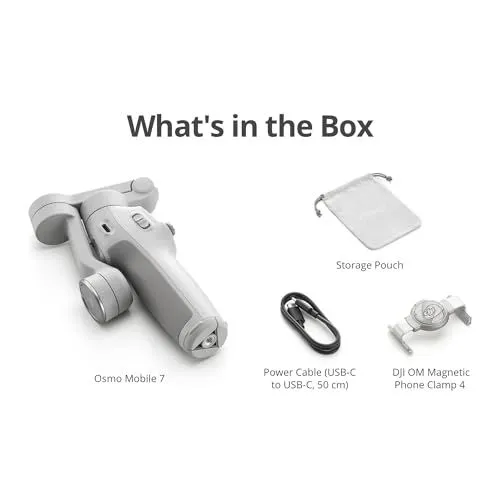
The image shows the contents of the Osmo Mobile 7 package. The items are spread out on a clean white background. A large light gray gimbal is the main focus on the left side. It is folded into a compact shape for easy transport. Below the gimbal is the text Osmo Mobile 7. In the upper right corner sits a small gray storage pouch with drawstrings. This pouch is labeled Storage Pouch. Below the pouch is a black power cable coiled into a loop. The text indicates it is a USB-C to USB-C cable that is 50 centimeters long. To the right of the cable is a light gray magnetic phone clamp. It is labeled as the DJI OM Magnetic Phone Clamp 4. All items are displayed clearly for a potential customer. The overall layout is organized and informative. The text at the top of the image reads What’s in the Box in a bold font.
Mobile Phone Compatibility List
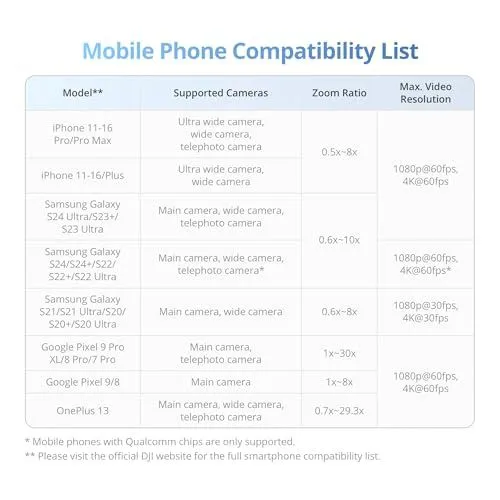
This image displays a compatibility list for mobile phones. It is presented in a white table format with a light blue header. The columns cover phone models, supported cameras, zoom ratios, and maximum video resolutions. Apple iPhones from series eleven through sixteen are listed first. Samsung Galaxy models including the S twenty-four and S twenty-three series follow. Google Pixel and OnePlus thirteen models are also included. The table specifies which individual cameras work with the device. Zoom ranges vary from point five times to thirty times depending on the model. Most listed phones support four K video at sixty frames per second. Footnotes at the bottom mention chip requirements and the official website for more details. The overall design is professional and easy to read.
DJI Osmo Mobile 6 Smartphone Stabilizer
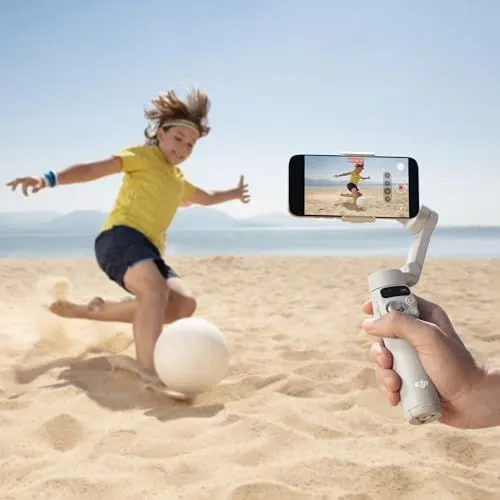
A hand holds a light gray DJI Osmo Mobile 6 gimbal on a sunny beach. The gimbal stabilizes a black smartphone in landscape mode. The phone screen shows a live video recording of a young child playing. The child wears a yellow shirt and dark shorts while kicking a white soccer ball. Sand kicks up from the beach as the child moves. In the background there is a calm blue ocean and distant mountains under a clear sky. The gimbal has a small status panel and physical control buttons near the thumb. The device appears compact and designed for handheld motion shots. The lighting is bright and natural. The overall scene captures a family moment with high-quality camera equipment.
DJI Osmo Mobile 6 Platinum Gray Smartphone Stabilizer
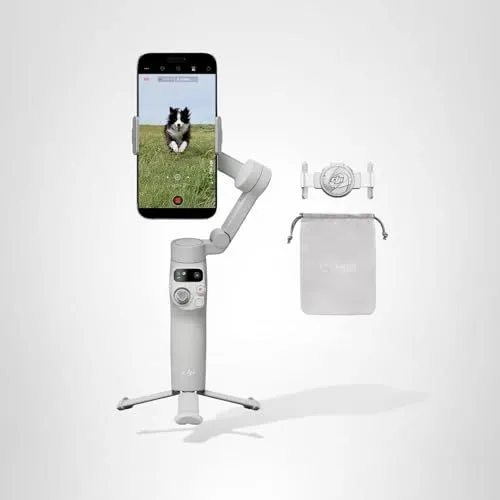
This image shows a DJI Osmo Mobile 6 smartphone gimbal in platinum gray. A black smartphone is mounted on the stabilizer in a vertical orientation. The phone screen displays a dog running through a green field. The gimbal is standing upright on an attached tripod base. To the right of the main device are two accessories. These include a magnetic phone clamp and a gray drawstring storage pouch. The entire setup is positioned against a clean light gray background. The gimbal features a compact handle with various control buttons and a small status display. The design is sleek and modern for mobile videography. The lighting is bright and even across all components. This kit represents a complete portable stabilization system for content creators.
Google search results for DJI Osmo Mobile 7 gimbal stabilizer
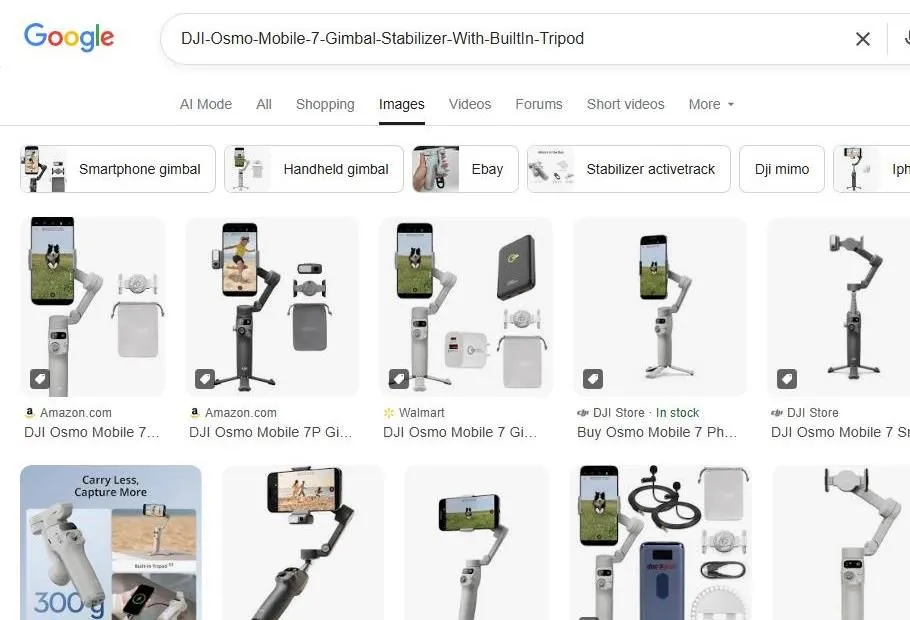
The image shows a Google search results page for the DJI Osmo Mobile 7. The search bar at the top contains the name of the product. Below the search bar are several filter buttons for different categories. These include smartphone gimbal and handheld gimbal. The main area displays a grid of product images from retailers like Amazon and Walmart. The gimbal is shown in various angles and setups. Some images feature the device with a phone attached. Others show the gimbal standing on its built-in tripod. The color of the device appears to be a light gray or silver. One image highlights the weight as 300 grams. Several accessories like a carrying pouch and charging cable are also visible. The page layout is clean and typical of a modern search engine interface. Each image entry includes a price or store logo at the bottom.
DJI Osmo Mobile 7 Gimbal Search Results
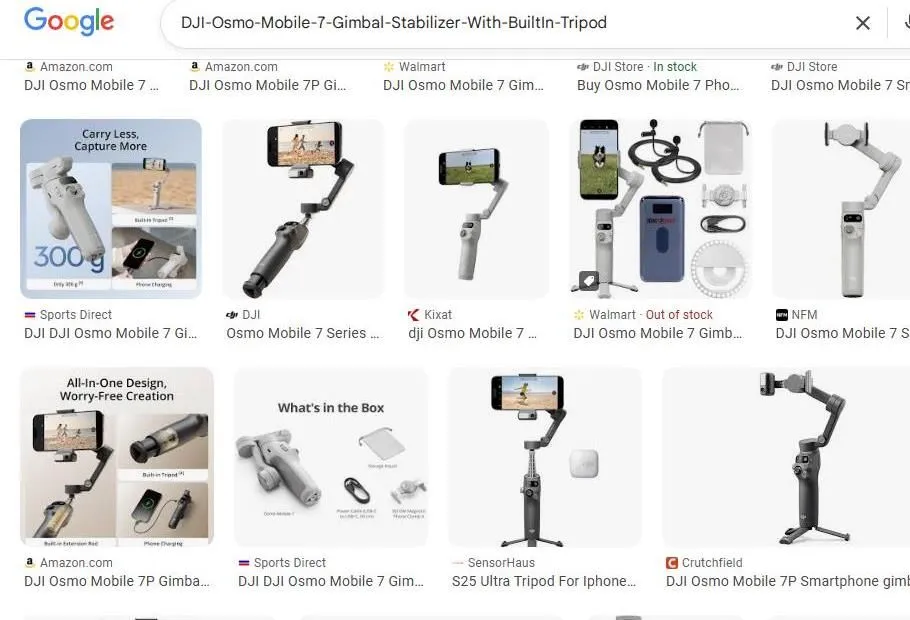
The image shows a Google search results page for the DJI Osmo Mobile 7 gimbal. Several product listings from retailers like Amazon and Walmart are visible. The top of the screen displays the search query in a search bar. Multiple images of the smartphone stabilizer appear in various configurations. Some shots show the gimbal folded while others show it extended with a phone attached. One graphic highlights the lightweight three hundred gram design. Another image displays the items included in the box. The color options for the device include slate gray and off-white. There are mentions of a built-in tripod and extension rod. Prices and stock availability are noted below some of the product thumbnails. The layout is a grid of images typical of a mobile shopping interface.
Google Search Results for DJI Osmo Mobile 7 Gimbal
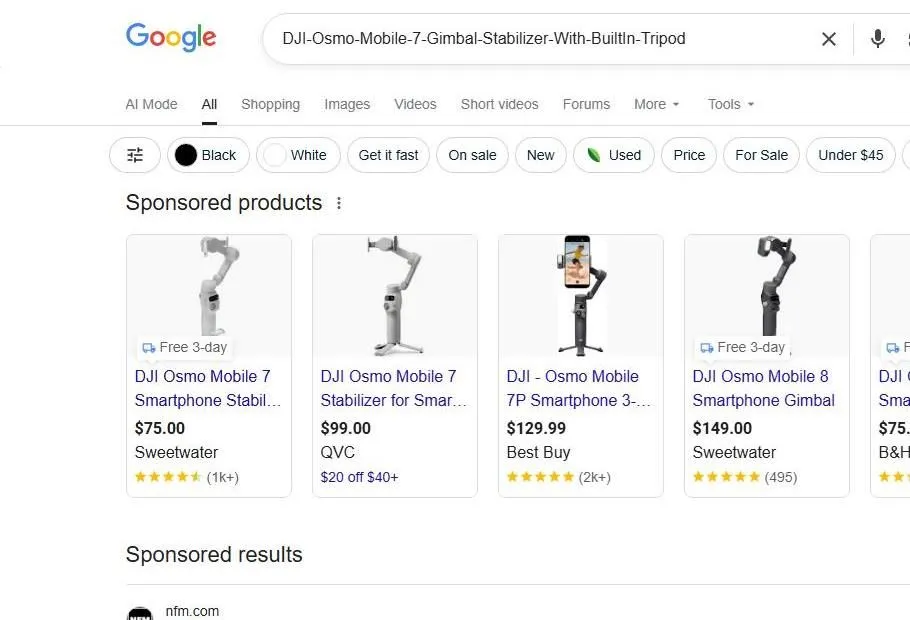
The image shows a Google search results page for a DJI Osmo Mobile 7 gimbal stabilizer. A search bar at the top contains the product name. Below the search bar are various filter chips like black, white, and on sale. A row of sponsored product listings appears with images and prices. Four main products are visible with titles and prices ranging from 75 dollars to 149 dollars. Retailers listed include Sweetwater, QVC, Best Buy, and B and H. Some listings show star ratings and delivery information. The DJI Osmo Mobile 8 is also featured in the results. The interface is clean and utilizes a white background. It represents a typical online shopping experience through a search engine.
Google Shopping Results for DJI Osmo Mobile 7
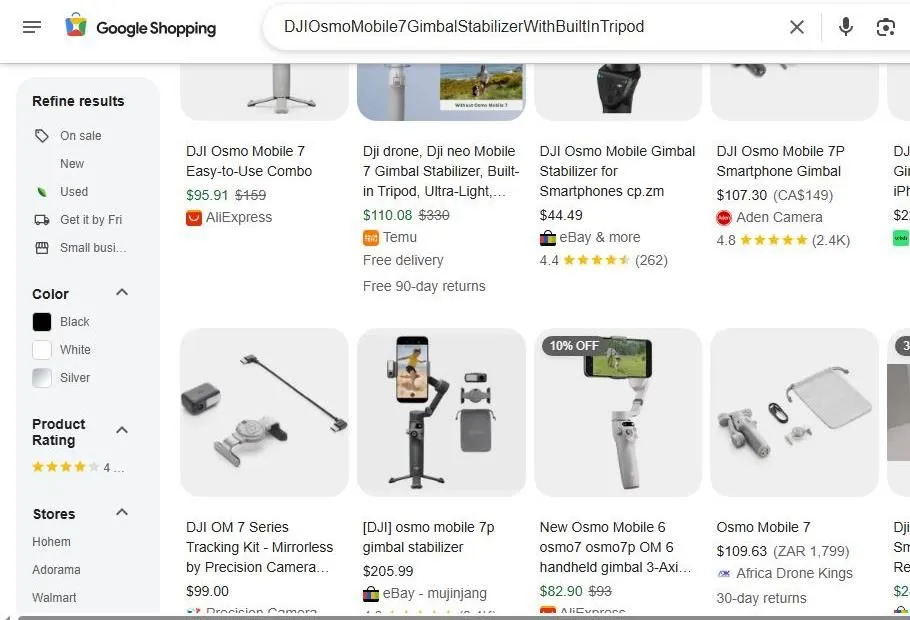
The image shows a web browser displaying Google Shopping search results. The search bar at the top contains the text DJI Osmo Mobile 7 Gimbal Stabilizer With Built In Tripod. A sidebar on the left offers options to refine results by condition and color. Several product listings are visible in a grid format. Each listing includes a product image and title. Prices are displayed in various currencies including dollars and rand. Sellers like AliExpress and eBay are listed under the items. Some products feature star ratings and review counts. A few items show discount tags like ten percent off. The overall layout is clean and organized for online shopping.